SCIP for iPad
SCIP the prep.
Jump right to treatment.
Sound Contrasts in Phonology brings contrastive treatment planning, picture materials, and progress reporting together in an app designed for iPad.
A separate App Store purchase. See the App Store for current pricing and device requirements.
A closer look
From planning to practice.
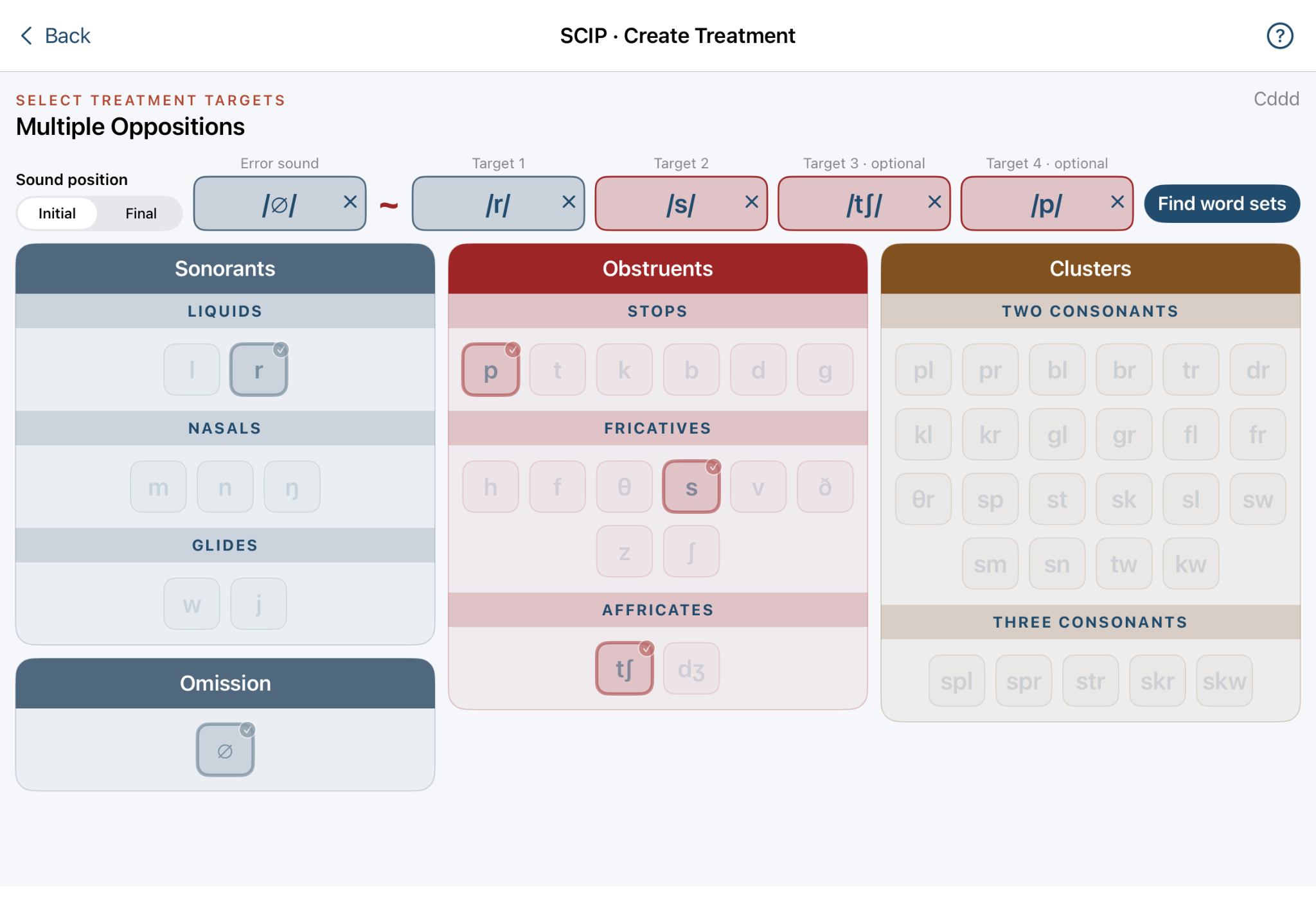
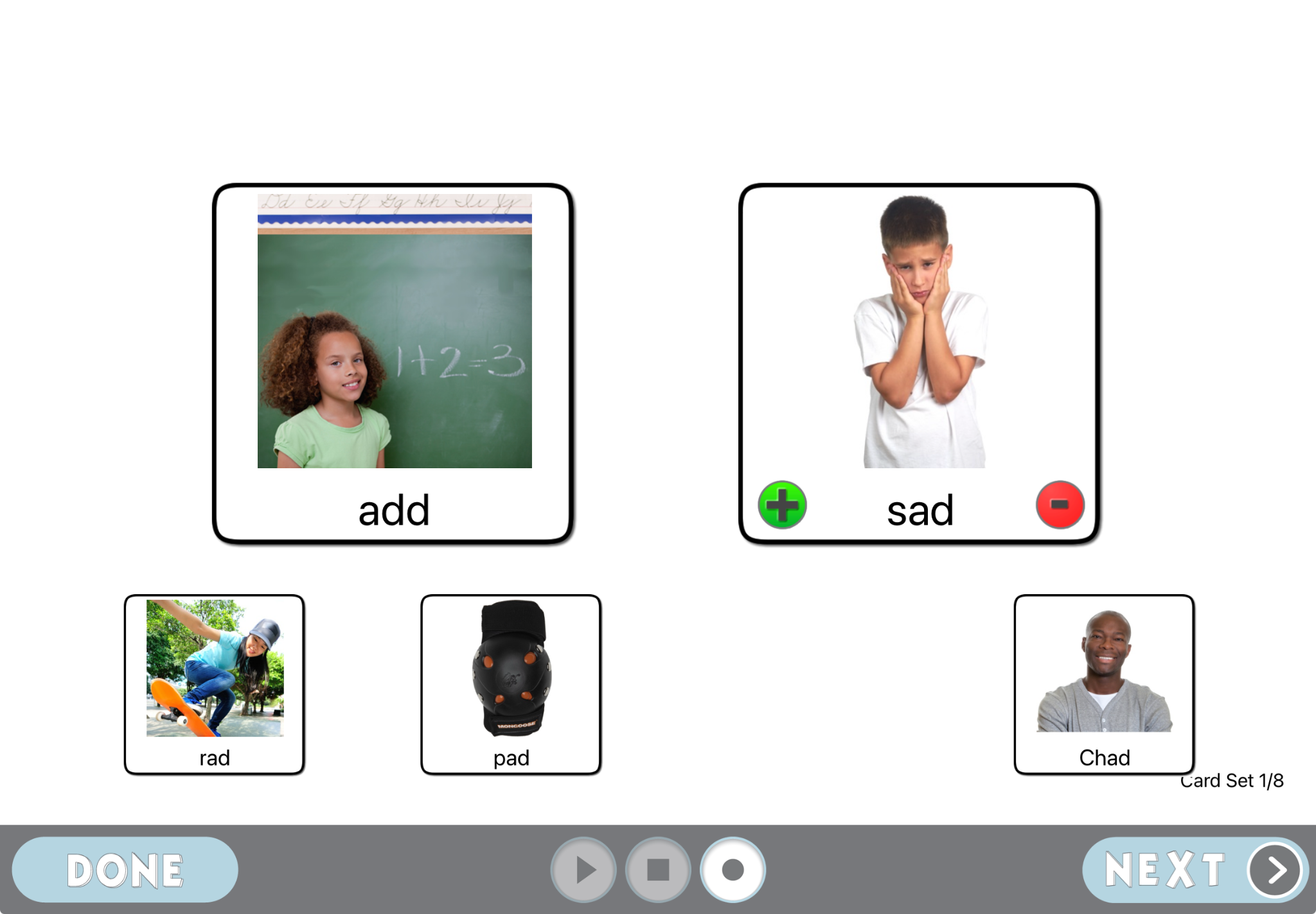
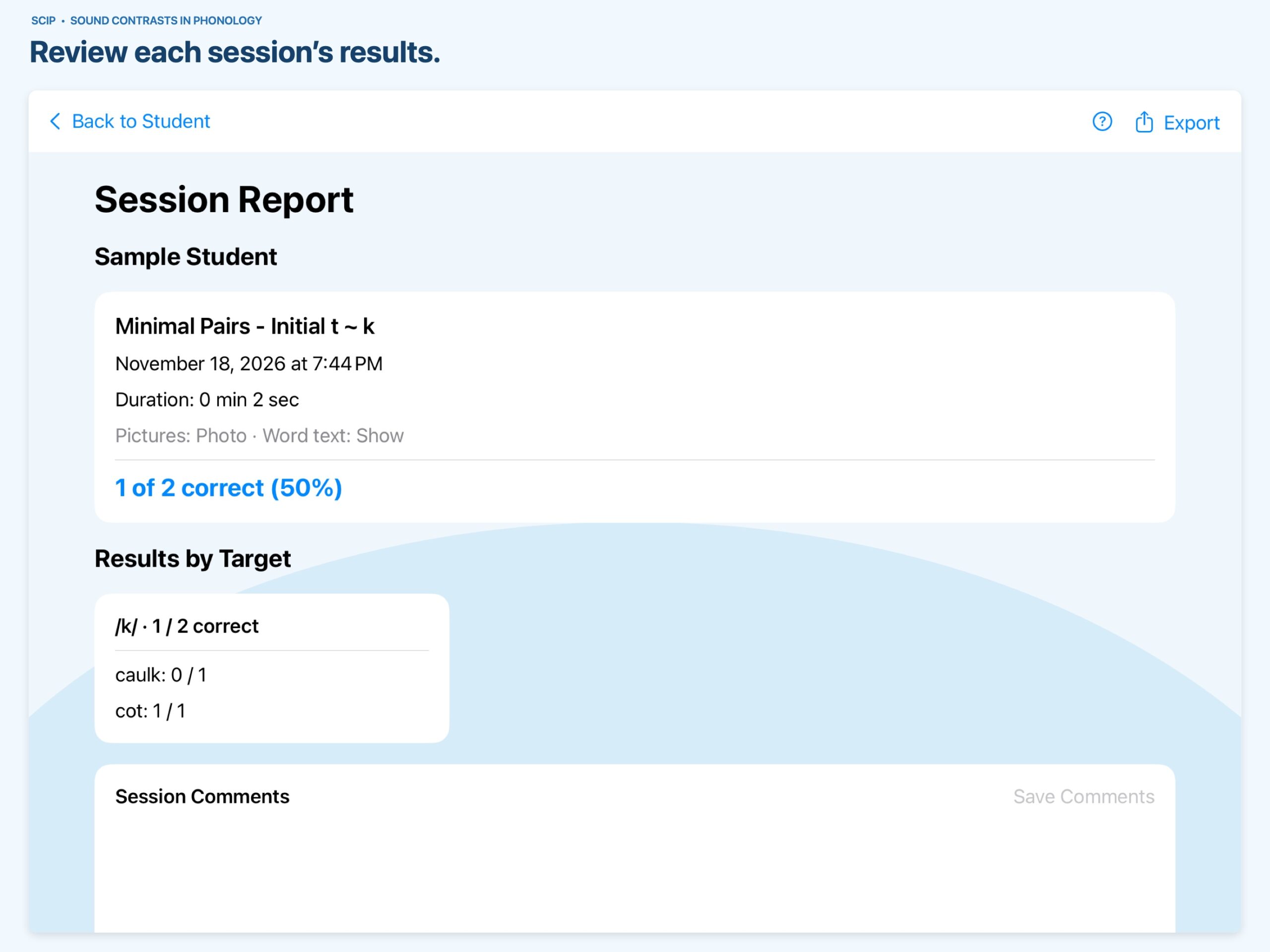
Explore the refreshed screens for preparing sessions, providing treatment, and reviewing results. Select an image to see it in detail.
Ready when Wi-Fi isn’t
No internet connection required for treatment.
Once SCIP is installed, you can plan and run treatment offline. Downloading, updates, and sending email require an internet connection. Printing requires a compatible printer connection.
Your clinical choices, together
Build treatment around your student.
Five contrastive approaches
Choose from Minimal Pairs, Multiple Oppositions, Maximal Oppositions, Treatment of the Empty Set, and Vowel Contrasts.
Explore the approaches →Photographs and illustrations
Select visual materials to fit your learner and treatment activity, with real words and nonwords available for building sets.
Individual or group sessions
Work with one student or a group of up to four, using individualized treatment targets for each student.
Session data and progress
Collect response data and notes, then review graphs and reports to support your next clinical decisions.
Practice beyond the screen
Print illustrations for practice activities away from the iPad.
Treatment profiles
Prepare and save treatment profiles so you can return to your student’s planned activities.
Sound Contrasts in Phonology
Research at the foundation.
SCIP grew from the research of Dr. A. Lynn Williams with support from the National Institutes of Health. Its contrastive approaches help clinicians bring phonological research into treatment planning.